Get Short Vertical Videos for Reels, TikTok and Shorts from a Long YouTube Video
One long YouTube video can feed Reels, TikTok and Shorts for weeks. You don't need to download it, open an editor or watch the whole thing again. Paste the link, let the server do the heavy part, review the moments it found and post the same clips everywhere. Here is the whole route, step by step, with screenshots from the real app.
1. Paste the link — no downloading on your side
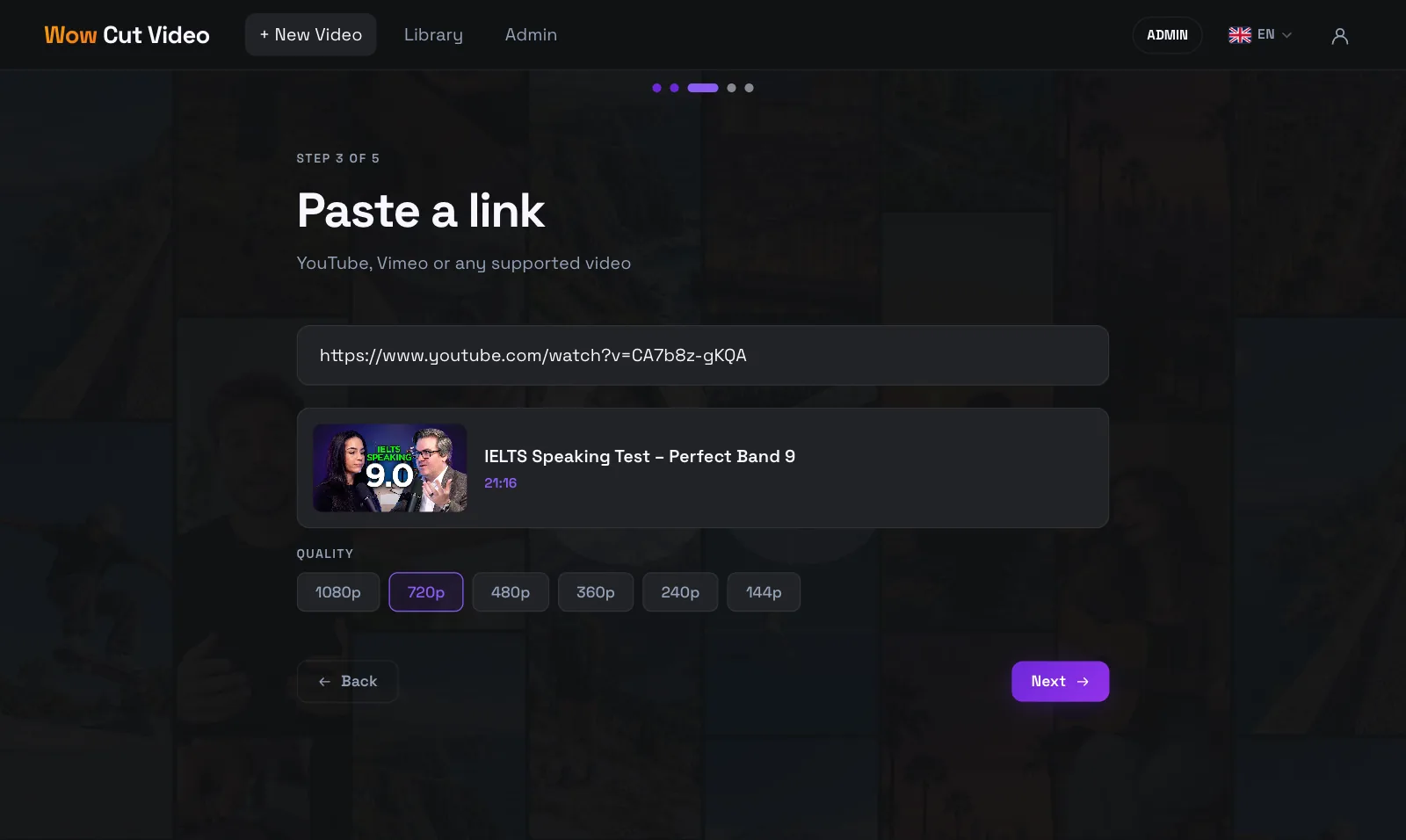
Copy the video's address from YouTube, open Wow Cut Video in your browser, choose "Find wow moments" and paste the link. The title, length and available quality appear straight away, so you can see it's the right video before anything starts.
The download happens on our server, not on your computer: there is no file to save, move or upload. In the browser, YouTube videos are processed at up to 720p, which is plenty for a vertical clip watched on a phone. The Mac app takes the same link and downloads the video on your own machine instead.
Use videos you own or have permission to repurpose — your own channel, a client's, a podcast you appear in.
2. The server does the slow part
Once you start, everything heavy runs on the server: downloading, recognizing the speech (around 100 languages, detected automatically), and asking the AI which moments stand on their own. The page shows each stage as it runs.
You don't have to wait on the page. Close the tab, and the video is waiting in your library when the analysis is done.
- Download from YouTube on the server.
- Speech recognition with word-level timing.
- AI picks 1–5 self-contained moments, cut on whole sentences.
3. Review the best moments
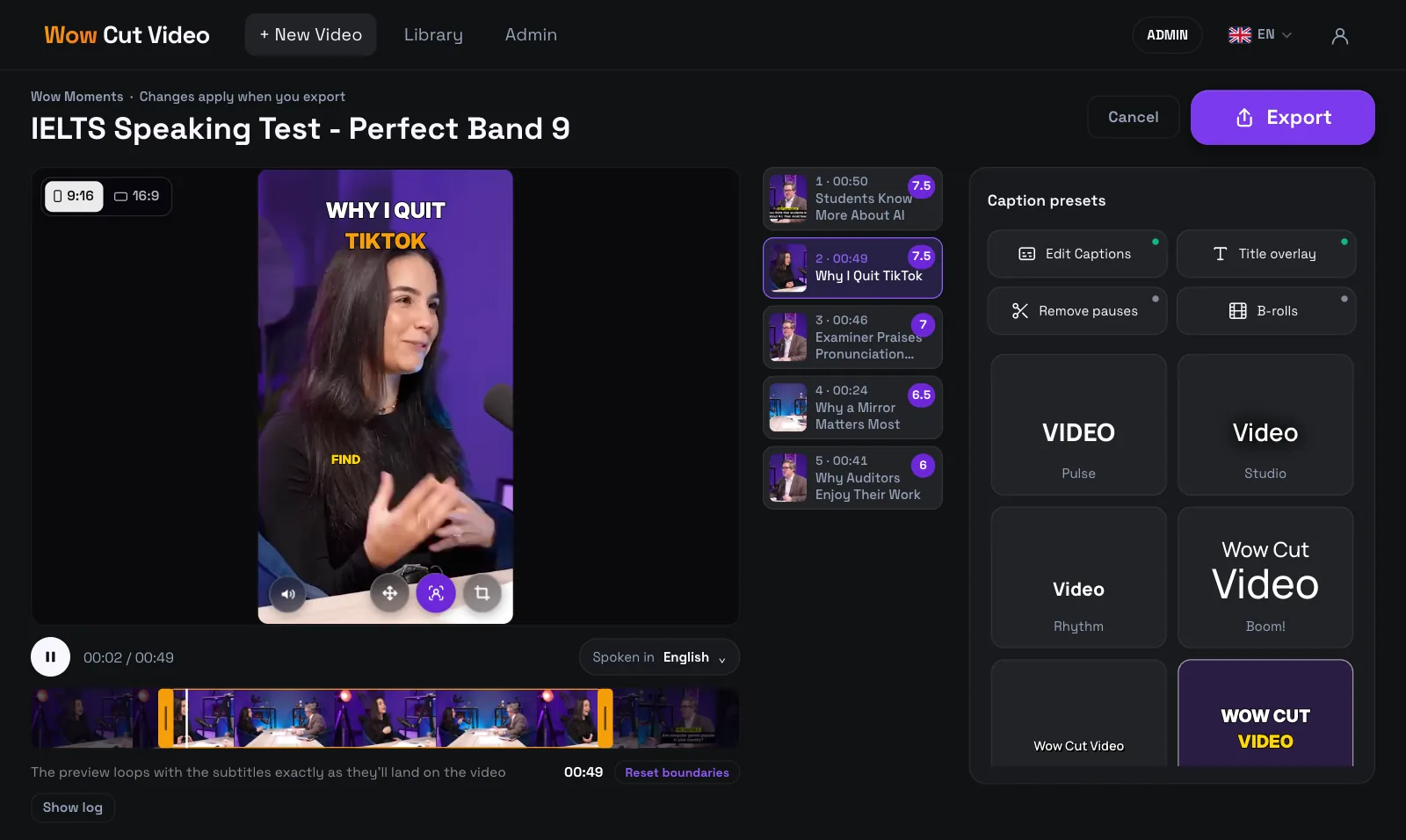
Each moment the AI found becomes a card beside a live preview. Click through them, drag the start and end on the timeline, fix a misheard name in the text, and switch caption presets — the preview shows exactly what will be burned into the video.
Optional tools sit on the same screen: a title over the first seconds, removing long pauses, and B-roll cutaways from stock footage.
4. One moment, the right format for each platform
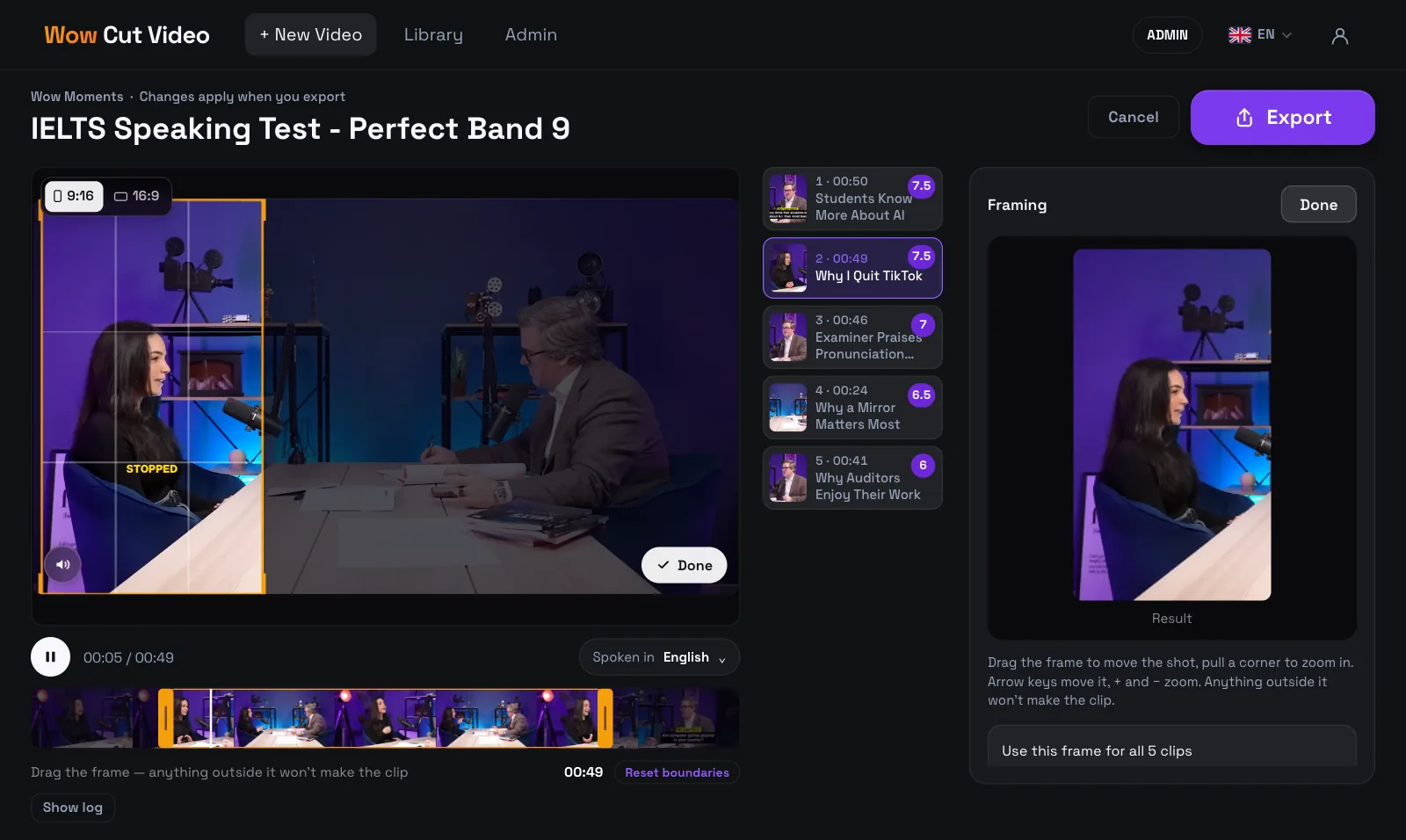
Shorts, Reels and TikTok all want vertical 9:16 video, so one export covers all three. A landscape YouTube video is cropped to the vertical frame, and you decide what stays in shot: drag the frame over the speaker or pull a corner to zoom.
Need a horizontal version for a YouTube video, LinkedIn or a website? Switch the preview to 16:9 (Pro) and the same moment exports in widescreen.
5. Download and post everywhere
Press Export and the clips render on the server. You get finished MP4 files with the captions burned in, so they look the same on every platform and don't depend on its auto-captions.
Upload the same file to YouTube Shorts, Instagram Reels and TikTok, and write a hook-style caption for each. The files stay in your library for 7 days, so you can come back and download them again from any device.
- YouTube Shorts: vertical clip, a short title that names the idea.
- Instagram Reels: the same file; put the hook in the first line of the caption.
- TikTok: the same file; captions are already in the picture, so skip the extra text overlays.